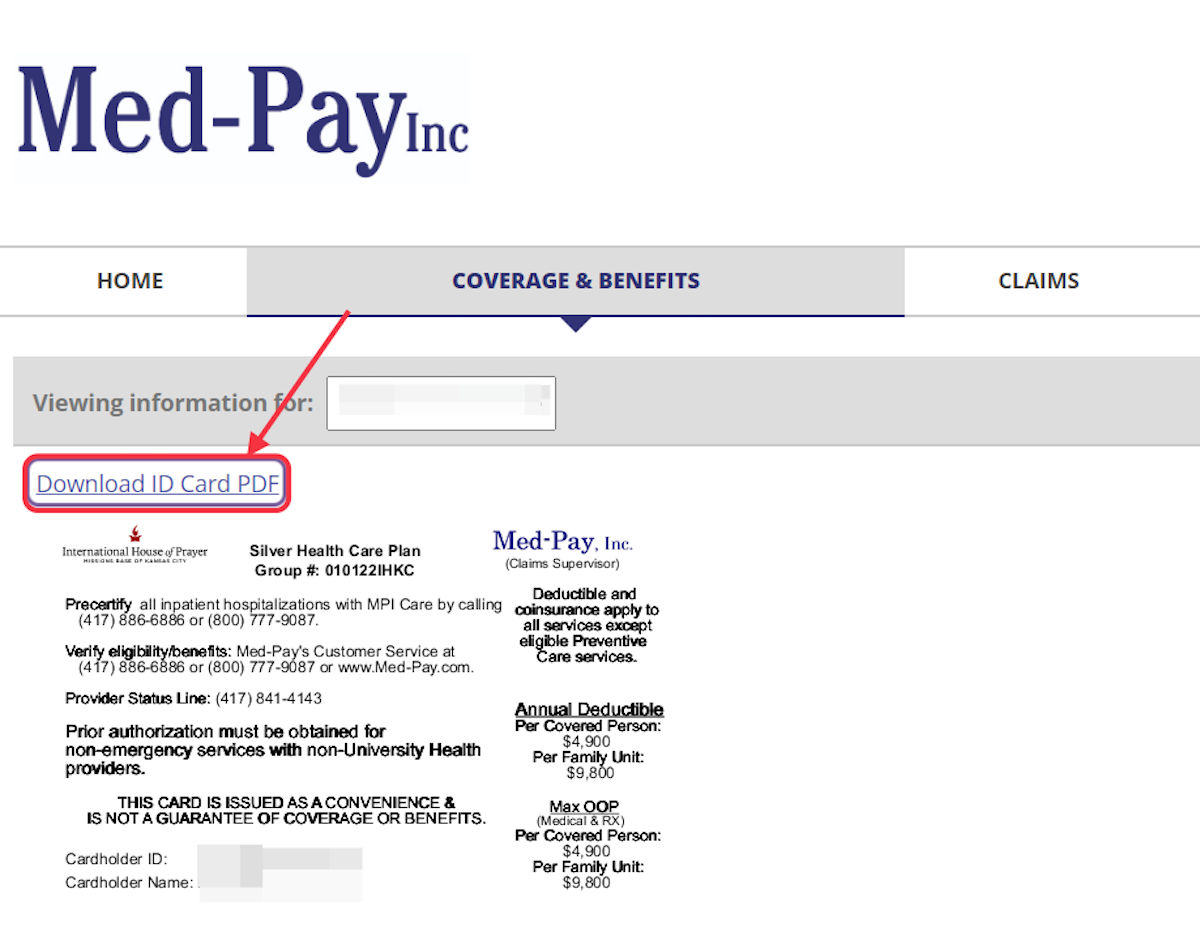
How to set up your account with Med-Pay and download your ID cards.
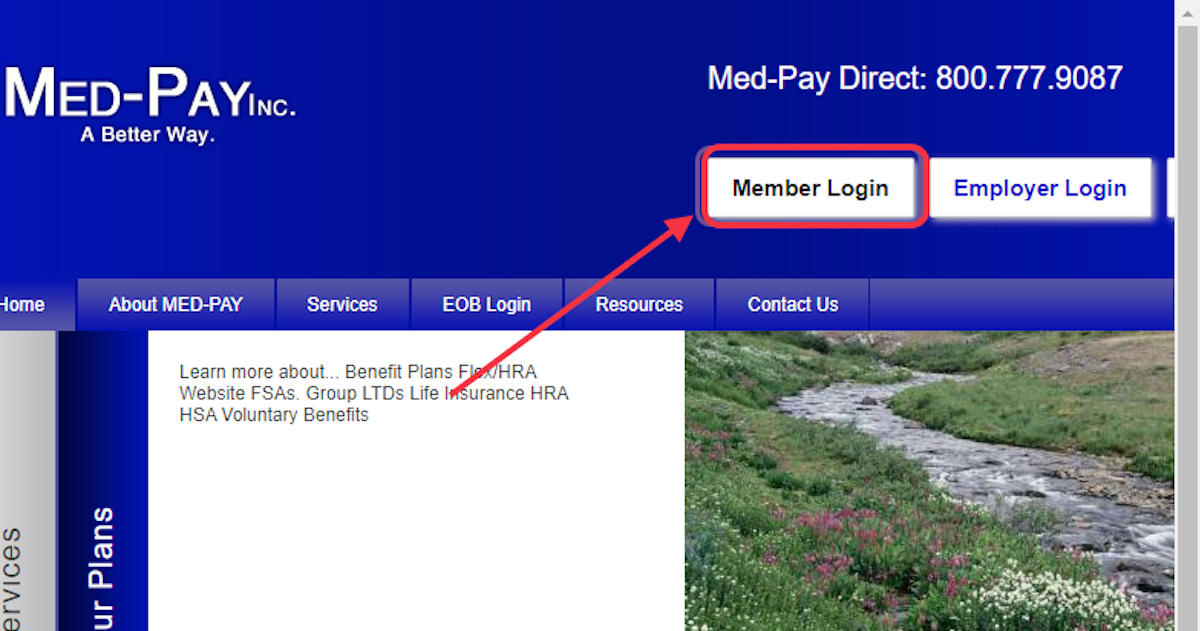
1. Go to www.med-pay.com
2. Click on Member Login
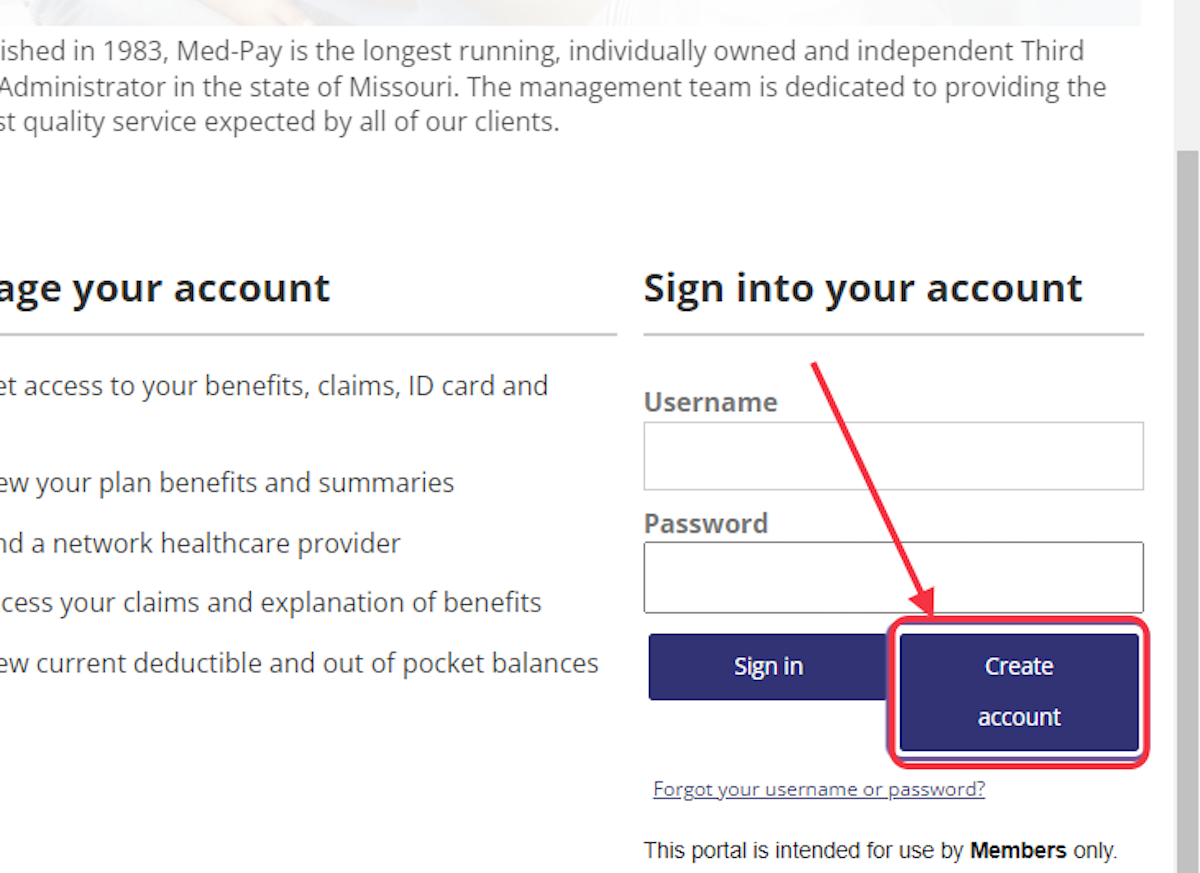
3. This takes you to secure.healthx.com where you will choose 'Create account.'
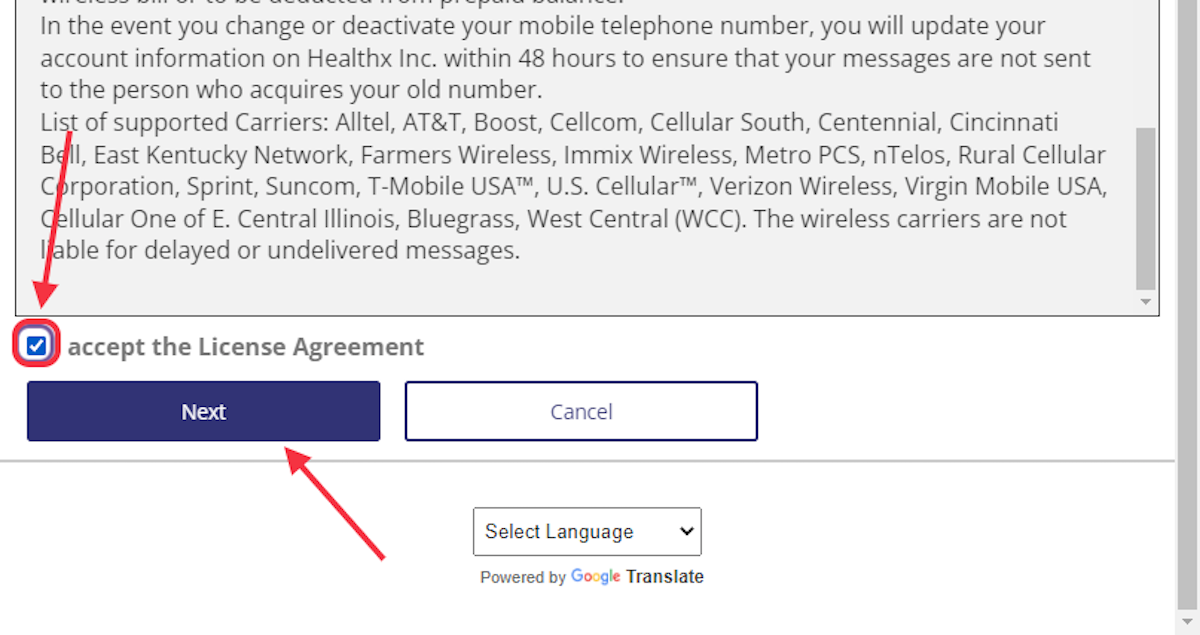
4. Read the License Agreement and check the box "I accept the License Agreement." Choose Next
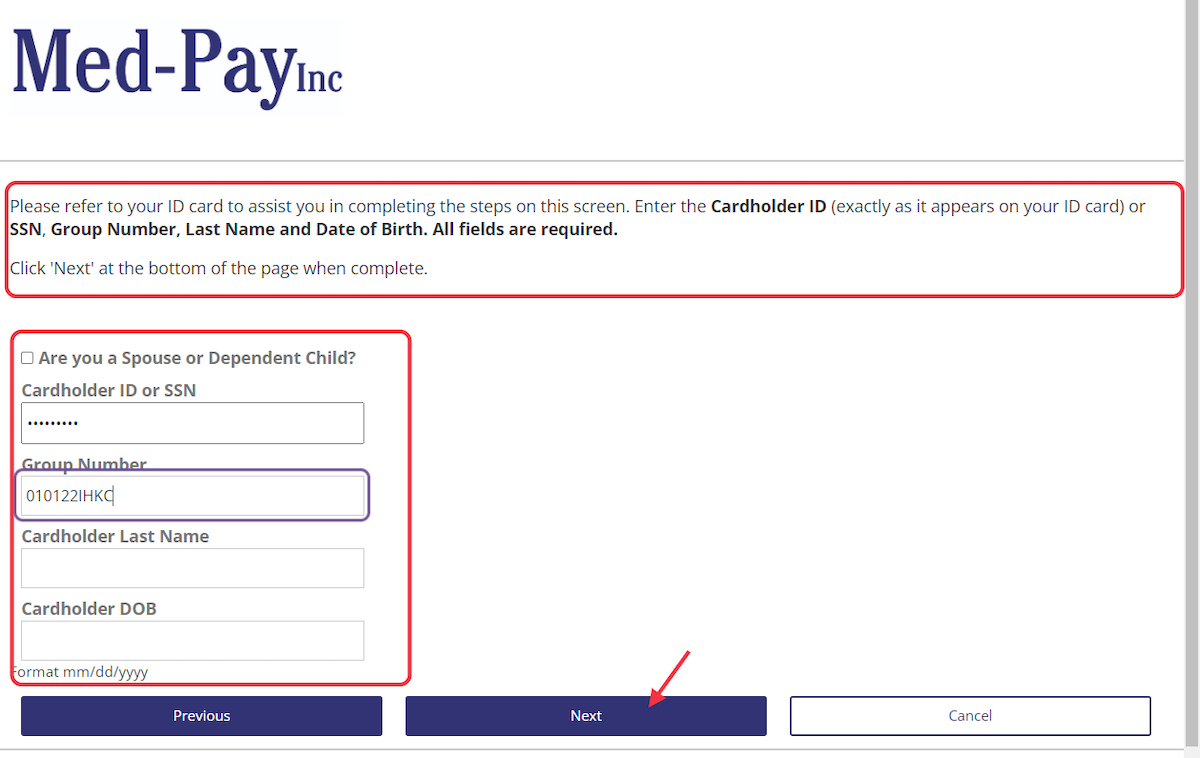
5. REFER TO YOUR ID CARD if you have it, and input Cardholder ID or Social Security Number to start the process. Follow prompts to complete the requests for the rest of the information needed for setting up your account. When completed, choose Next to continue to next page.
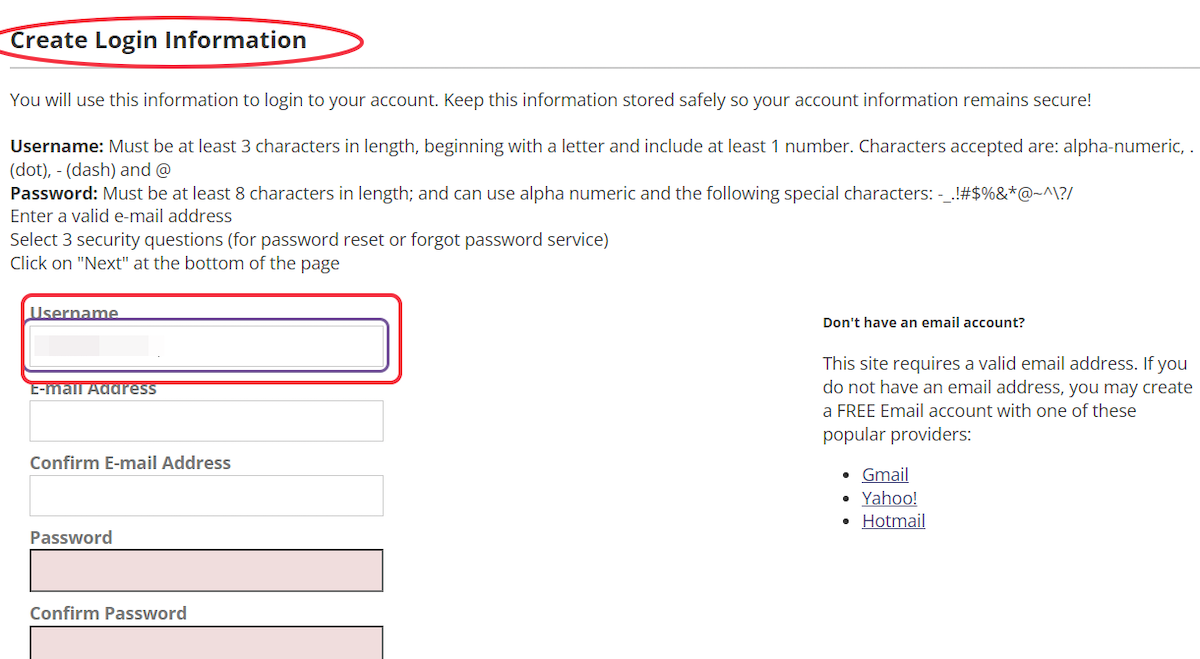
6. Choose a Username for your account.
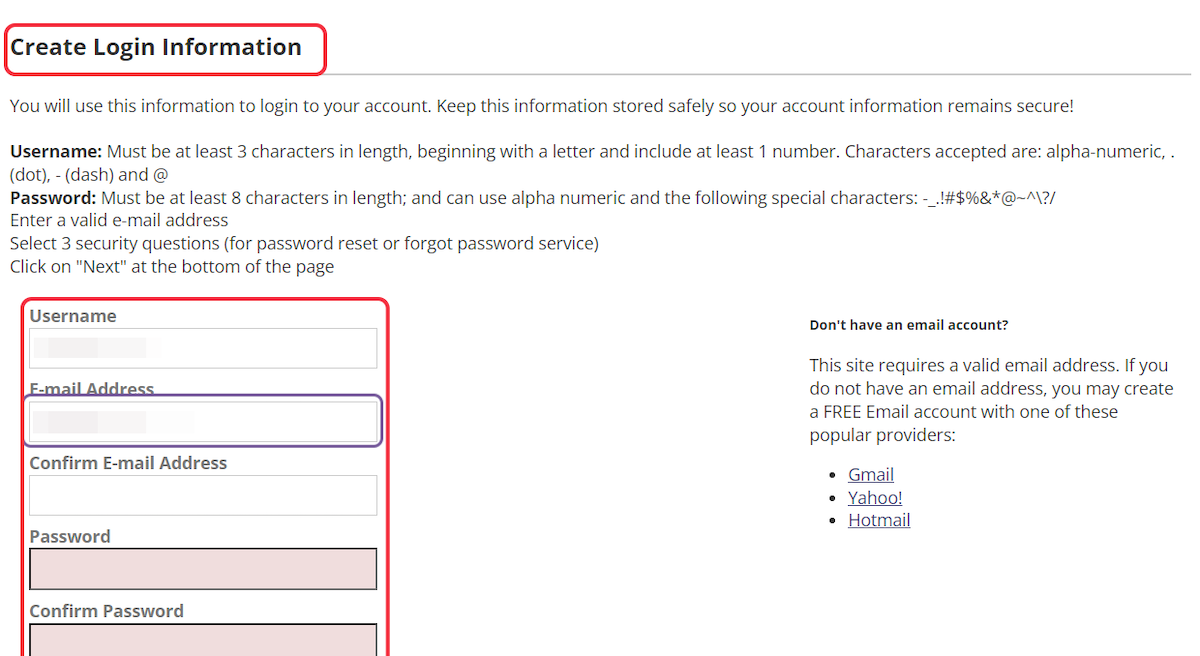
7. Type (and confirm) E-mail address connected with account, then retype to confirm. Choose a password according to instructions.
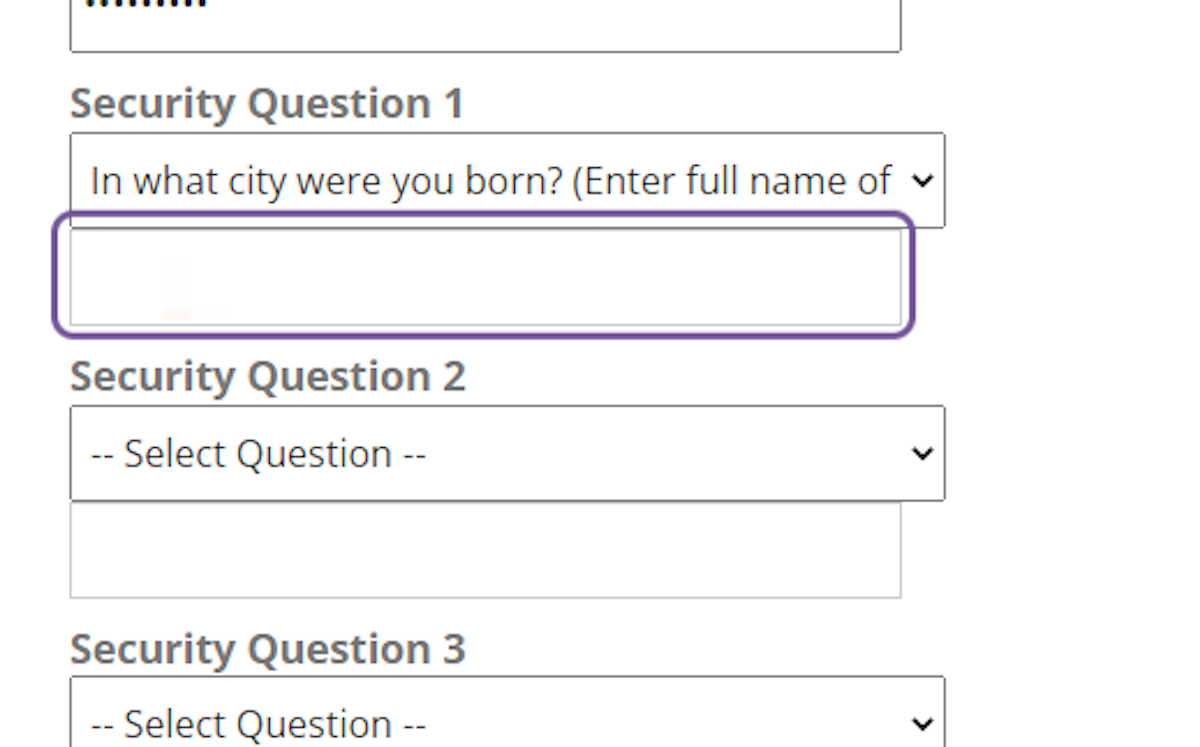
8. Follow the prompts to choose Security questions and input appropriate answers.
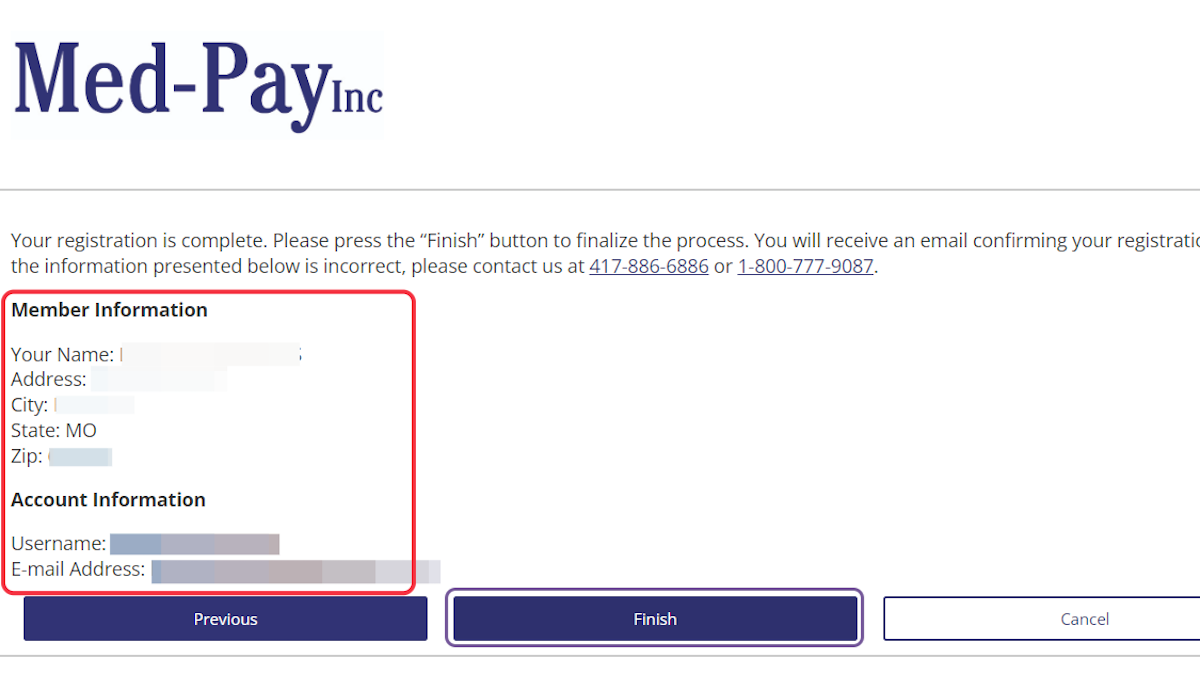
9. Verify the Member Information then choose "Finish"
10. In order to Print out your ID Cards, click 'Print your ID Cards'
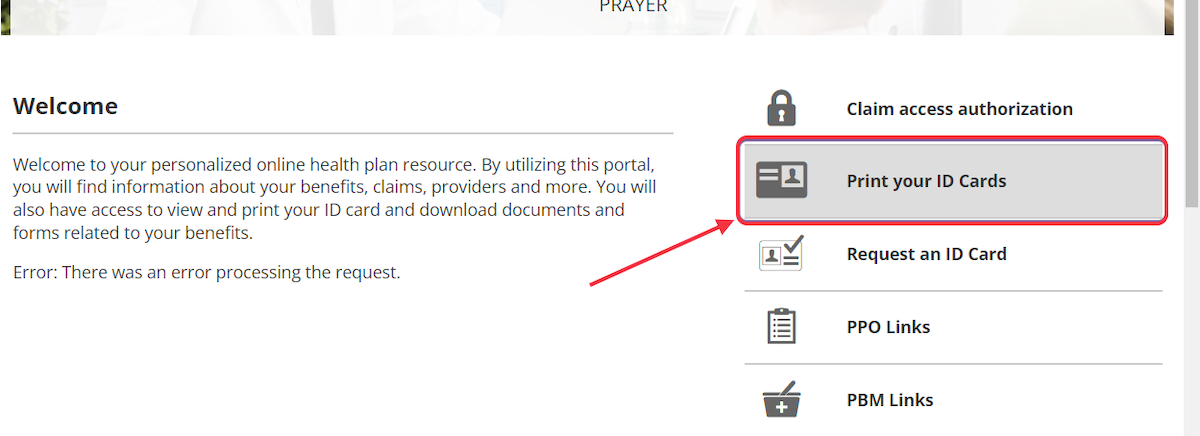
11. Choose Download ID Card PDF. Follow directions to print.